How to remove the Bandicam watermark
Bandicam 2027 records videos without a watermark, even in the free version. Free recordings are limited to 5 minutes each. However, a watermark is added in the center of the video when you export after editing or adding burned-in subtitles with the free version. Check out the difference between free and paid versions.

- If you purchase Bandicam 2027 and activate your license, a watermark will not be added when you export edited videos, and the recording time limit will be removed.
- In Bandicam 2027, the original recording has no watermark, but a video exported with the free version has a watermark.
- Watermarks in previously saved videos do not disappear after purchase. Once you activate the full version of Bandicam, you can edit and export videos without adding a watermark.
Older free versions, including Bandicam 2025, 2024, and earlier, add a watermark at the top of recorded videos and limit each recording to 10 minutes.
Some people misunderstand that videos with the Bandicam watermark are produced by the Bandicam Company and ask that those videos be removed. However, Bandicam Company is a multimedia company that develops video recording programs and has no affiliation with those videos.
Still Seeing a Watermark After Purchase?
A filename displayed by your video player or a logo you added yourself can be mistaken for the Bandicam watermark. Check the following to find out what you are seeing and how to resolve it.
1. Filename Appearing
When you play a video file in a playback program, the file name may be displayed at the start of playback. This can be mistaken for a watermark. Try another player or turn off the filename display to check whether the text is part of the video.
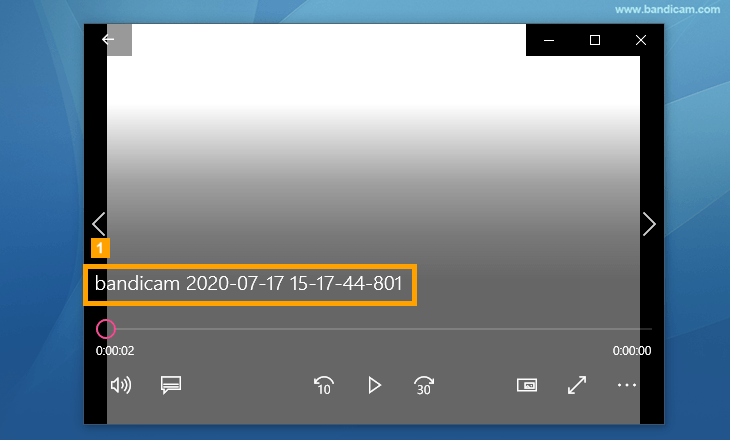 - Movies & TV app on Windows 10
 - Windows Media player
 - VLC media player
2. "Add logo overlay to video" option
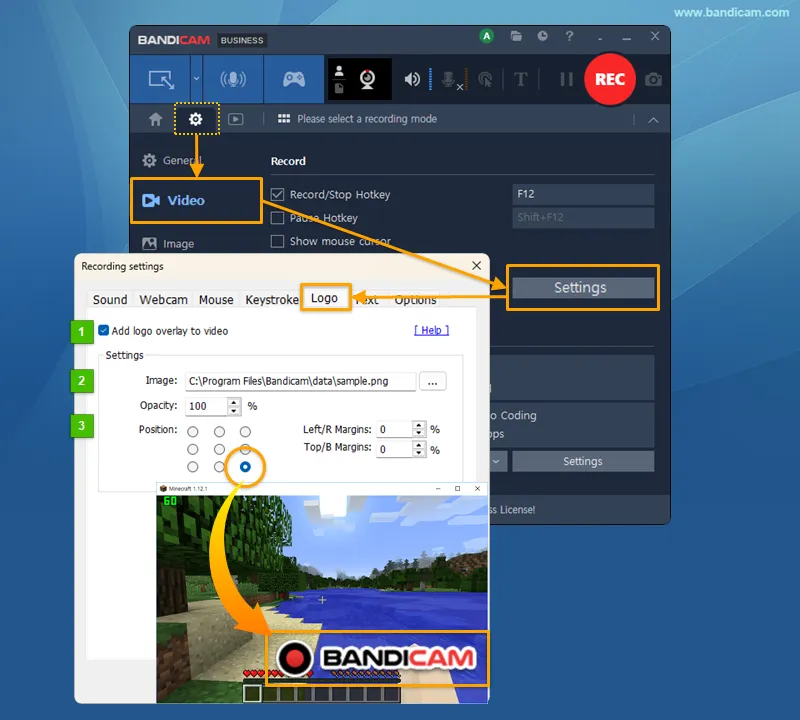
The "Add logo overlay to video" option allows users to add their own logo to a recording. If you uncheck this option, the selected logo will not be added to new recordings. This setting is separate from the free-version export watermark and does not remove logos from existing videos.
3. Check Your License Activation After Purchase
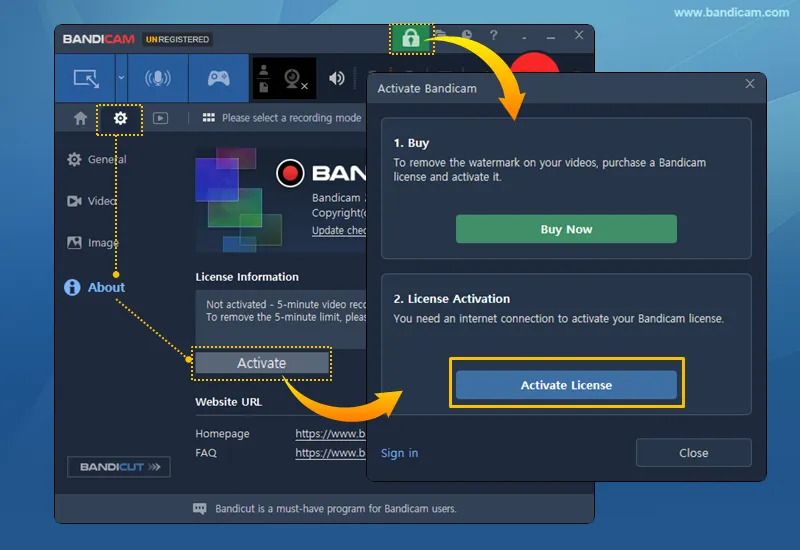
After purchase, activate your Bandicam 2027 license to export videos without a watermark.
=> Go to About > Activate and follow the activation instructions, then export again from the original recording without a watermark.
If you still see the Bandicam watermark in a new export, send a screenshot of the About tab in Bandicam to bandicam@bandicam.com.